Posts for: #App Volumes

Published Applications Fail to Launch When Using App Volumes on Horizon 2603 and 2606

tl;dr

If you deploy published applications using Omnissa App Volumes and Omnissa Horizon 2603 or 2606, users may encounter an error message when launching the application. This is a known bug with Horizon 2603 and Horizon 2606. A hot patch connection server build is available from Omnissa Support to resolve the issue.

The Problem

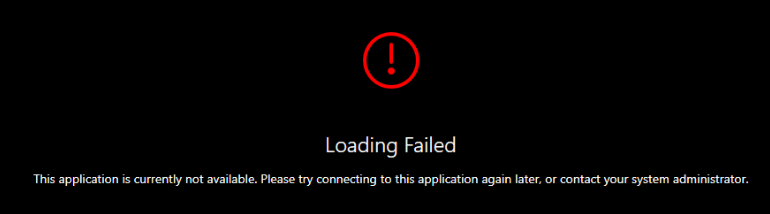
After upgrading 2 of our Omnissa Horizon pods to version 2603, users reported error messages when attemping to launch published applications delivered through App Volumes. Users would see the error message: ‘Loading Failed: This application is currently not available. Please try connecting to this application again later, or contact your system administrator.’ Horizon Client Error
FSLogix Cloud Cache: Hung or Slow Logoffs

tl;dr

If you use App Volumes and FSLogix, you need to add exclusions for FSLogix to your App Volumes snapvol.cfg file. Read this post written by Carlo Costanzo for the exclusions to add to your snapvol.cfg. If you’re interested in the gritty details, read on…

The Problem

After upgrading to FSLogix 2210 hotfix 4 (2.9.8884.27471), users started reporting issues when attempting to login to our environment. We’re using Horizon instant clones with FSLogix ODFC containers, DEM for the other stuff, and App Volumes to deliver applications. The root of the issue was that the previous session was not logging off. Users would be presented with an FSLogix error preventing them from logging in: